Assistance setup programme

From damage report to billing in one system.

We build vehicle assistance providers a Zoho system that carries every breakdown and accident case from report through dispatch to billing, with field, repair shop and office always on the same status.

  • Every call becomes a complete case file at once
  • Tow and roadside dispatch with live SLA timers
  • Live status and automated billing with insurer & partner
1:30
Transformations

What we changed for real businesses.

1 / 2
Case study·Europe

Assistance Services

A European assistance & service-operations company rolled out the entire Zoho ecosystem in one go.

Pain
  • Requests, contracts, and invoices lived in disconnected tools and spreadsheets
  • Cases were assigned manually, tickets stalled on the wrong teams
  • Contracts were copy-pasted out of old Word documents
  • Documents scattered across local drives, lost files were a daily reality
Gain
  • Automated case assignment and prioritisation, no more manual triage
  • Dynamically generated contracts and quotes from CRM data in seconds
  • Service-based invoicing with automated reconciliation, accounting runs quietly in the background
  • Operational KPI panel gives leadership a clear morning view
Project Duration ~1 month
Built with
Zoho OneZoho CRMZoho BooksZoho WriterZoho FlowZoho Analytics

Case study·Germany

Field Service

A German field-service provider connects sales, ticketing, dispatch, and billing into one platform.

Pain
  • Travel surcharges were estimated by hand for every address, mistakes were routine
  • Technicians had no visibility on the customer device when they showed up on site
  • Reports were written on paper and typed into the system days later
  • Monthly billing was a marathon of Excel and Word
Gain
  • Address entry → travel zone and surcharge populated on the deal automatically
  • Atera inventory, asset management, and maintenance contracts in one CRM view
  • Voice-to-text report plus customer signature on a single mobile screen on site
  • PandaDoc contract signature auto-triggers Won
Project Duration ~4 months
Built with
Zoho CRMAteraPandaDocMetaZoho DeskZoho Creator
The problem

Bought a CRM, and the case is still stuck in a phone call?

At assistance providers the process usually breaks between intake and dispatch. Zoho isn't the problem, the way it was rolled out is.

  • Cases with no central record

    Breakdown and accident reports come in by phone and land on notes and in inboxes. A complete case file exists nowhere.

  • Dispatch under time pressure

    Tow and roadside partners are called manually under stress. Who's free, who's within SLA, no one sees it at a glance.

  • No live status

    Where's the case, where's the vehicle, is the repair shop still waiting? The customer asks, and no one can answer with certainty.

The solution

A system shaped around how assistance actually works

From report to billing, every case follows the same flow. Field, repair shop and office work off the same status, and nothing gets lost between the call and the invoice.

A roadside breakdown technician inspecting a car with a flashlight at dusk, amber warning lights in the background

Every call becomes a case at once

Damage and breakdown reports are captured in one form. Vehicle, location, insurer and damage land straight in a complete case file, nothing lost on a notepad.

Case intakeAuto case fileLocation & vehicle
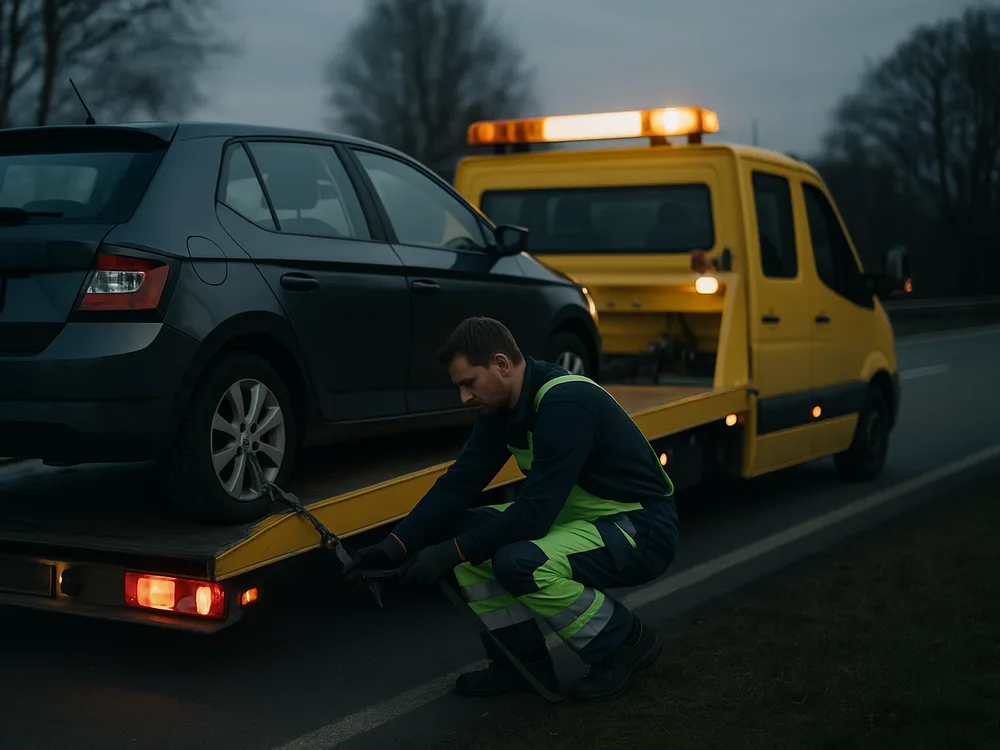
A breakdown tow truck loading a vehicle while a technician secures it

Dispatch with the SLA in view

Tow and roadside partners are assigned from a board: the right partner for the region, with a running SLA timer, instead of frantic calls in the dark.

Dispatch boardPartner SLARegion matching
A claims coordinator reviewing vehicle damage paperwork in a calm office

Live status from dispatch to billing

Field, repair shop and office see the same state: from arrival through repair to billing with insurer and partner, documented automatically.

Live status boardField ↔ officeAuto billing
Zoho · configured for vehicle assistance

Your Zoho apps, shaped around the assistance process.

No off-the-shelf CRM. We configure every app around your workflow: from damage report through dispatch to billing with insurer and partner.

Zoho Desk Search… + Add
Reported2
Acc
Accident A40 Schmitz
€ 4.800
Brk
Breakdown BAB1 Krüger
€ 620
In progress1
Acc
Accident B236 Aydın
€ 7.350
Done1
Brk
Breakdown A2 Brinkmann
€ 540
Zoho Desk

Claims pipeline

Every report as a case: breakdown or accident, vehicle, damage value, stage and next step.

  • Pipeline by case status
  • Breakdown & accident split
  • Dispatch in minutes
Zoho Books Search… + New
Case no.ItemDateAmountStatus
FA-2025-041Towing Schmitz14.05.2025€ 480 Paid
FA-2025-041Repair shop Schmitz21.05.2025€ 4.320 Open
FA-2025-044Rental car Aydın02.06.2025€ 690 Part payment
FA-2025-039Insurer Brinkmann03.06.2025€ 540 Submitted
Zoho Books

Case & cost overview

Towing, repair shop and rental car per case: amount, document and status in one place.

  • Towing & repair logged
  • Rental car tracked
  • Open items in view
WorkDrive · Sign Search… + Upload
CasesAccident SchmitzDocuments
Damage-report.pdf 14.05 signed
Accident-photos.zip 14.05 filed
Cost-estimate.pdf 16.05 awaiting signature
Claim-notice.docx draft
WorkDrive · Sign

Claim documents

Reports, photos and cost estimates right on the case, including e-signature.

  • Everything filed on the case
  • E-signature integrated
  • Versions & access
Zoho Projects Search… + Add
Emergency call intake Mon
Towing Mon–Tue
Repair shop & repair Wed–Thu
Billing Fri
Zoho Projects

Assistance flow

From emergency call to billing: every step scheduled and assigned.

  • Scheduled job steps
  • Partner assignment
  • Progress live
Program & workflow

How we roll out Zoho One in your assistance business

We think our way into your workflow and see ourselves as a long-term development partner. Here are the four phases.

  1. AnalysisWe review your workflow from the damage report through dispatch to billing and find your biggest time sinks.
  2. ConceptWe design your case and dispatch process in Zoho One and plan the Zoho architecture (business process mapping).
  3. ImplementationSetup, configuration, the automations and migration of your case, partner and repair-shop data.
  4. SupportTraining for intake and dispatch, fine-tuning and ongoing support, so the system becomes a fixed part of your everyday work.
AI in practice

Where AI genuinely takes work off the case.

No gimmicks: concrete points where we build AI into real Zoho assistance setups, so your team logs reports faster and no case is left without a status.

  • Logging damage reports by hand
    Report triage

    Damage reports land classified in the file

    Call notes and emails are read automatically, sorted as breakdown or accident and assigned to dispatch with an urgency. Case intake starts pre-sorted instead of from scratch.

  • Typing claim documents manually
    Document OCR

    Damage records and invoices read themselves out

    Vehicle data, amounts and damage details are extracted by OCR from records and repair-shop invoices and written into the right fields of the case file. Billing with no retyping.

  • Typing status updates one by one
    Reply assistant

    Status updates for customers prepared in seconds

    For recurring queries the AI suggests ready status replies drawn from the current case state. Your team only reviews and confirms.

Contact

Ready to run every case from call to billing?

Let's find out in a free Zoho system review where your workflow holds the most potential. Non-binding, concrete and tailored to your business. As an authorised Zoho partner we support you from setup to running operations.

● Free system review · no obligation

We use your details only for the call. No spam.

Frequently asked

What you'll want to know before the call.

Can towing services and partner workshops report their job status themselves?

Yes. Partners can report the state of their job directly, from arrival through repair to completion, so office and customer see the same live status without anyone having to chase them by phone.

How does dispatch make sure the right partner reaches the right region?

The dispatch board assigns each case to the matching partner by location and availability, with a running SLA timer, instead of frantic calls into the blue.

How long does rolling out Zoho One take?

Depending on scope, typically a few weeks to a few months. After our first meeting we give you a rough estimate, and after the requirements meeting a realistic estimate for your specific business.

What does Zoho One cost?

Zoho One costs €37 per employee per month on an annual plan, or €45 per employee with monthly billing. That includes all 50+ Zoho apps. We show you which option fits your business in the consultation, including a comparison with your current tools if you like.

Do we have to re-enter our existing data?

No. We migrate existing customer, quote and job data into Zoho One as part of the implementation, provided it can be exported from your current system.

Can Zoho One connect to our existing tools?

In most cases yes. Google and Microsoft connect easily for email, calendar and drive, as do many other common applications. Beyond that, almost any system can be integrated individually via the Zoho API.

Does Zoho One suit smaller businesses and mobile teams?

Yes. Zoho One works for sole traders as well as growing teams. Your team accesses records, tasks and documents on the go via the app, even when out of the office.

Where is our data stored?

On request in Zoho's EU data centres, GDPR-compliant. Your data stays within the European legal space, an important point for businesses with sensitive customer and project data.

How much time does the project cost us day-to-day?

As little as possible. Your team is only involved at a few clearly agreed points, such as analysing the workflow, providing information and training, so your day-to-day work keeps running.